
LinkedIn Image Downloader
Download images from LinkedIn posts in full quality. Free LinkedIn image downloader with no login required 2026.
Loading...
How to use?
Paste a LinkedIn post link and download images instantly. Free, simple, and no login required.
Copy and paste any public LinkedIn post URL that contains images.
Our tool then analyzes the post and extracts all available images from that post.
You will see multiple images in card view, download the media to your device.
Instructions with Screenshots
Follow the steps below to use the tool. The screenshots show each step clearly so you can download LinkedIn post images without any confusion.
What is Linkedin Image Downloader?
LinkedIn posts often include useful images.
Infographics, slides, announcements, charts, and visual guides are shared every day by professionals and companies.
However, LinkedIn does not provide a direct option to download post images in full quality.
Our LinkedIn Image Downloader helps you save images from public LinkedIn posts easily, without login and without installing any software.
What Our Lnkdin Image Downloader Does
Our tool allows you to download images from public LinkedIn posts in their original quality.
It works with:
- Single image posts
- Multi-image (carousel) posts
- Public company page images (Profile Image and Banners)
You simply paste the post link, and the tool extracts the images for download.
Why Download LinkedIn Images?
People download LinkedIn images for many practical reasons, such as:
- Saving infographics for learning
- Keeping reference slides
- Using visuals for presentations
- Reviewing content offline
Images often contain summarized insights that are useful beyond a single scroll.
How to Download Images from LinkedIn Posts?
LnkdDownloader makes it super simple to save LinkedIn Post Images, no sign-up, no limits, and no fees. Just follow the below quick steps:
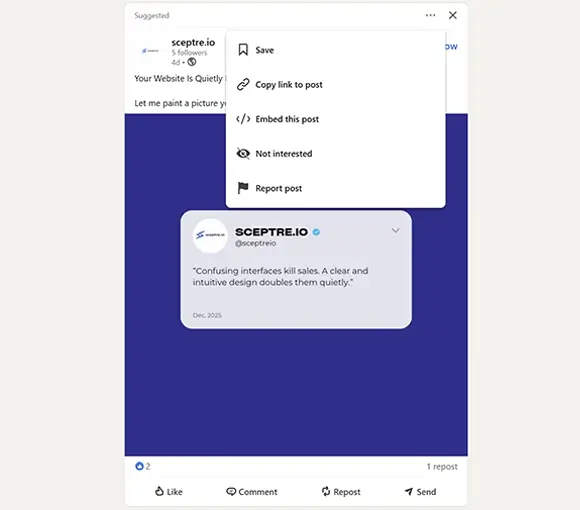
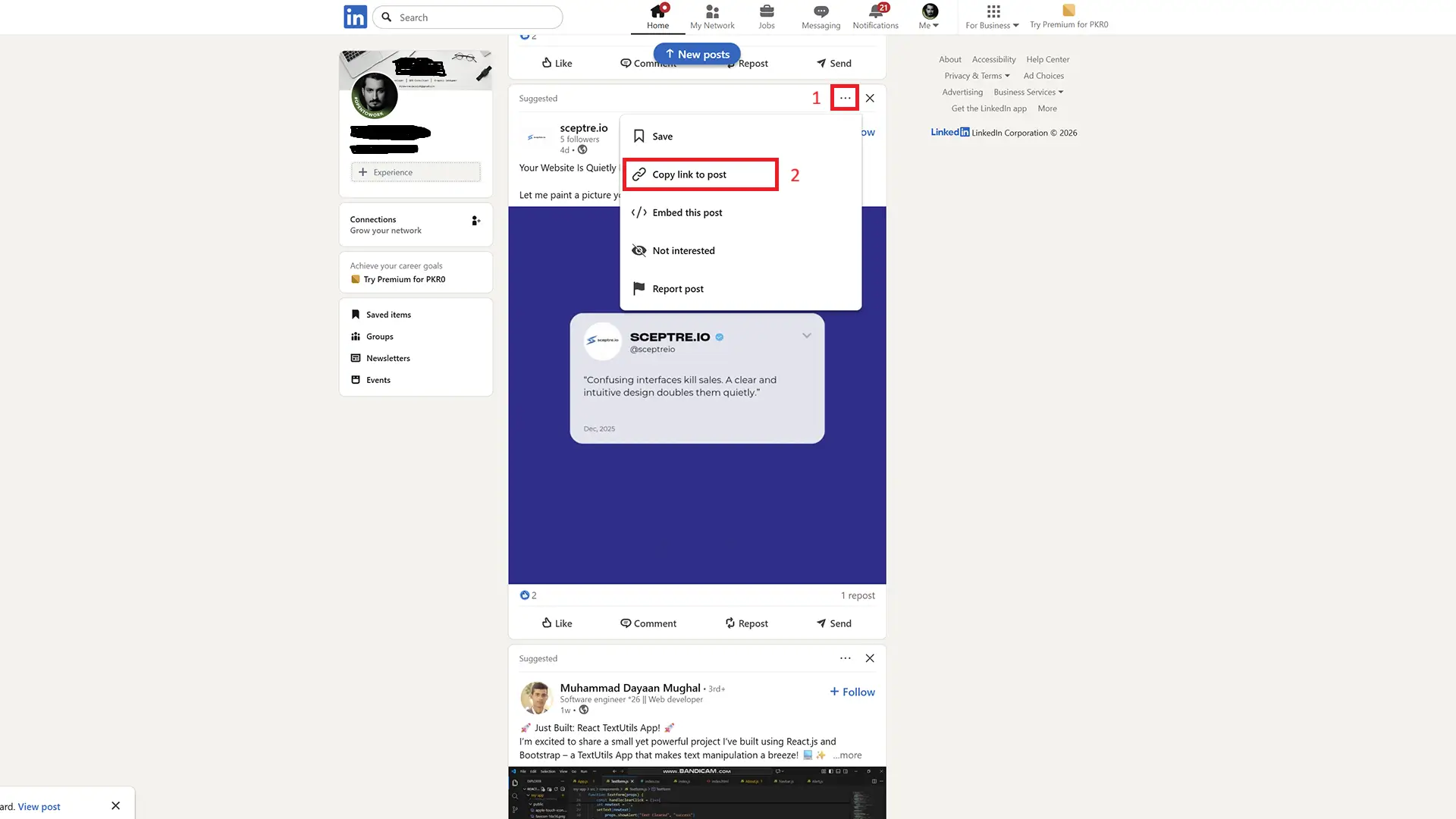
Go to LinkedIn.com (on your desktop or mobile browser) and navigate to the post containing the image or carousel slide you want.
Click on three dots •••
On the latest LinkedIn app, this icon is at the bottom right.
On Desktop Browser, it’s at the top right corner.
Select Copy Link to post.
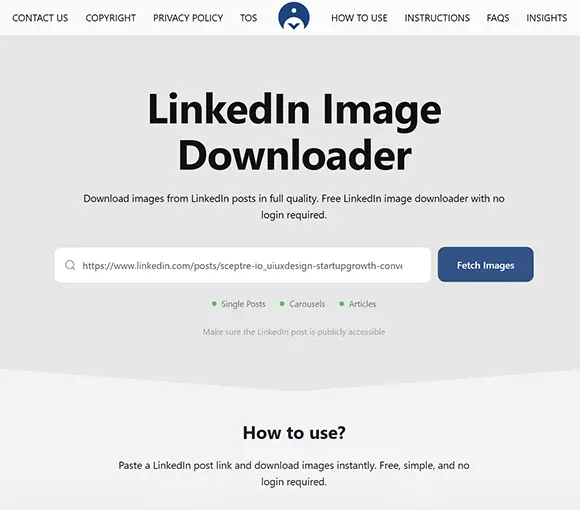
Paste the copied linkedin post link into our image downloader input field box.
Click or tap the “Fetch Images” button.
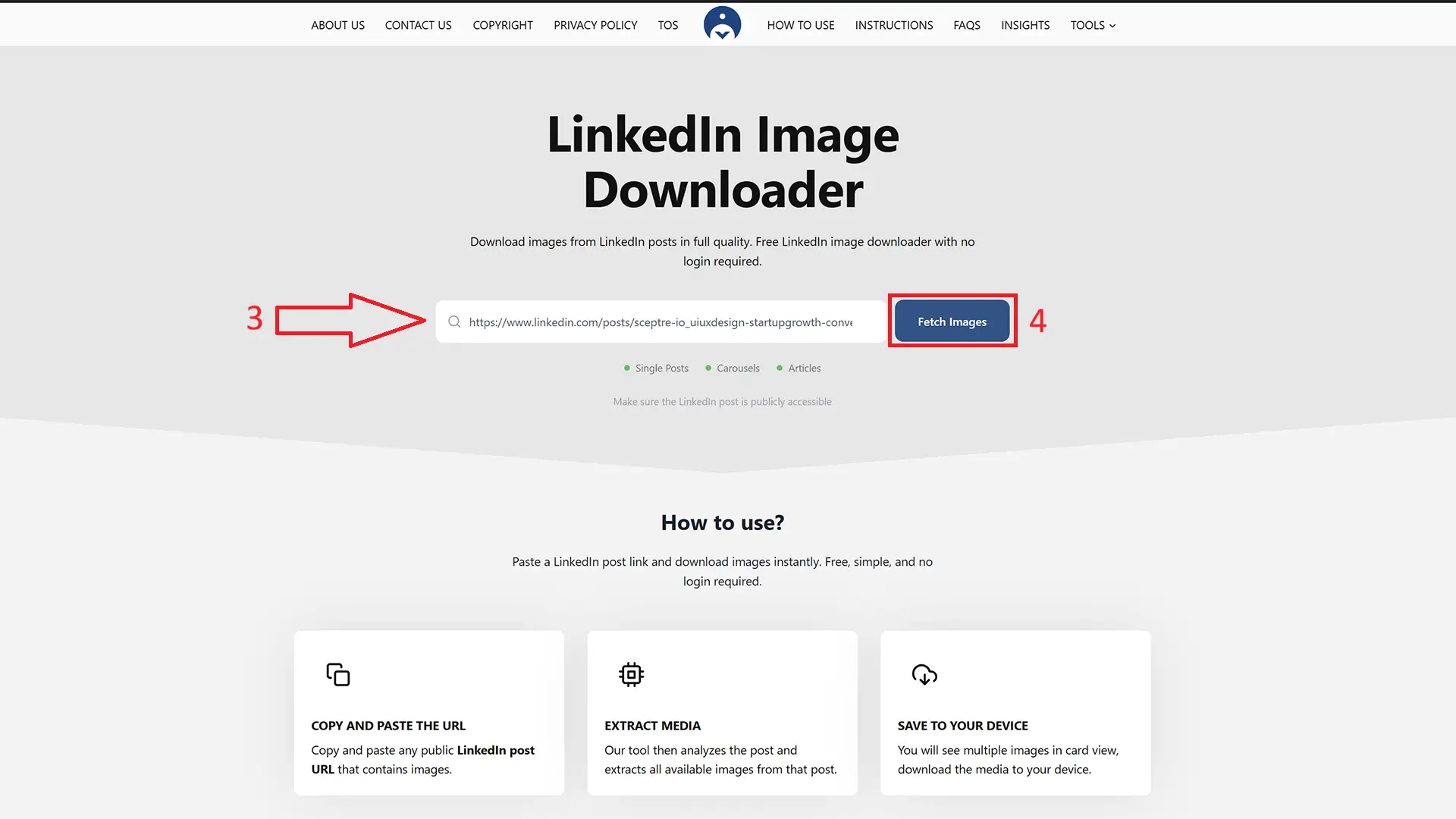
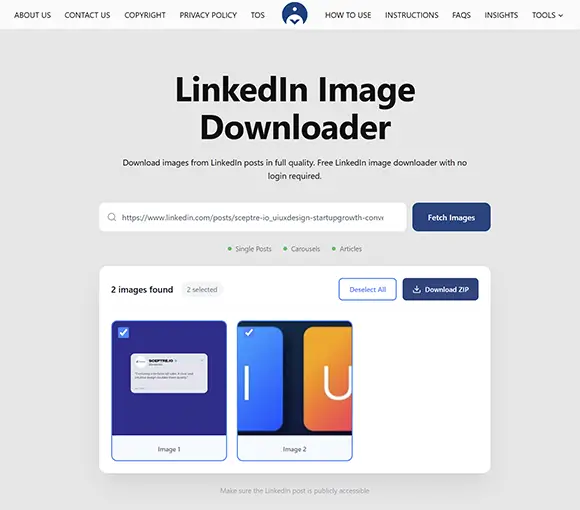
A preview of your image or slide will appear in minimalistic style.
Click the Download button to save it to your device.
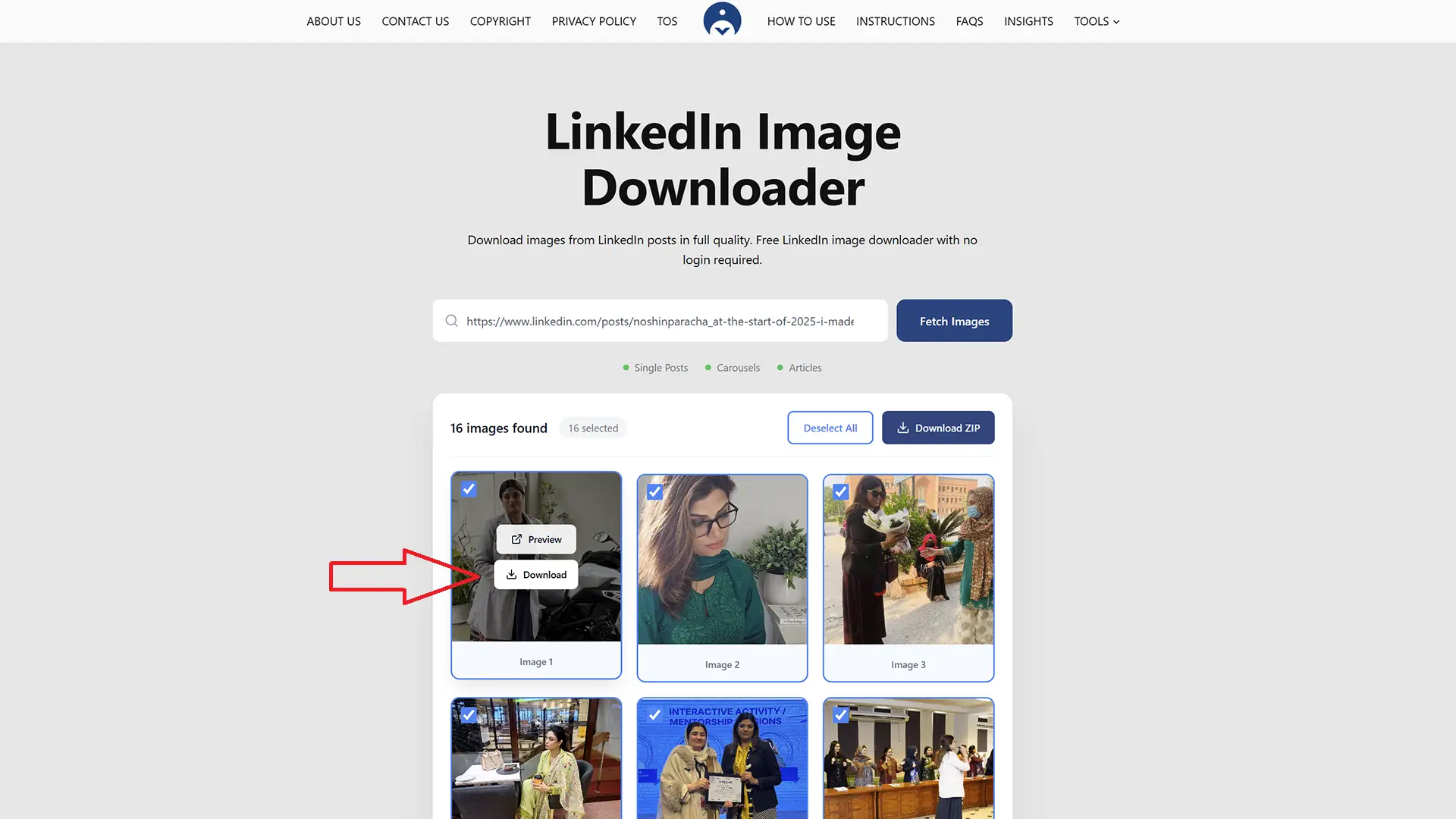
Congrats, you have sucessfully downloaded your image.
Our Demanding Tools
Our most demanding tools are built to solve common LinkedIn content problems quickly and simply. These tools are widely used by professionals, creators, and marketers who want better results without complicated steps.